
Best USB Sticks for DJs in 2026: Reliable Drives for Rekordbox, CDJs & More
In 2026, a reliable USB stick remains one of the most important tools in a DJ’s setup—whether you’re spinning on a pair of Pioneer CDJ-3000s, an OMNIS-DUO, or Denon’s Prime series players. It’s the bridge between your perfectly organized rekordbox or Engine DJ library and a seamless performance. But not every USB stick can handle the heat of a packed dancefloor. Slow write speeds, formatting issues, and corrupted files can turn a great night into a disaster. The best USB drives for DJs today combine speed, durability, and compatibility. They’re fast enough to load high-quality WAVs or FLACs instantly, tough enough to survive travel, and formatted properly to avoid those dreaded “unsupported device” messages. In this updated guide, we’ll break down the top flash drives and SSDs trusted by DJs right now—from ultra-compact models that live on your keychain to pro-level options for massive music libraries. You’ll also learn how to format your drive for Rekordbox and Engine DJ, back up your library safely, and future-proof your setup for the next wave of DJ hardware.
Updated August 2026 - This guide has been refreshed with new recommendations and info about compatibility.

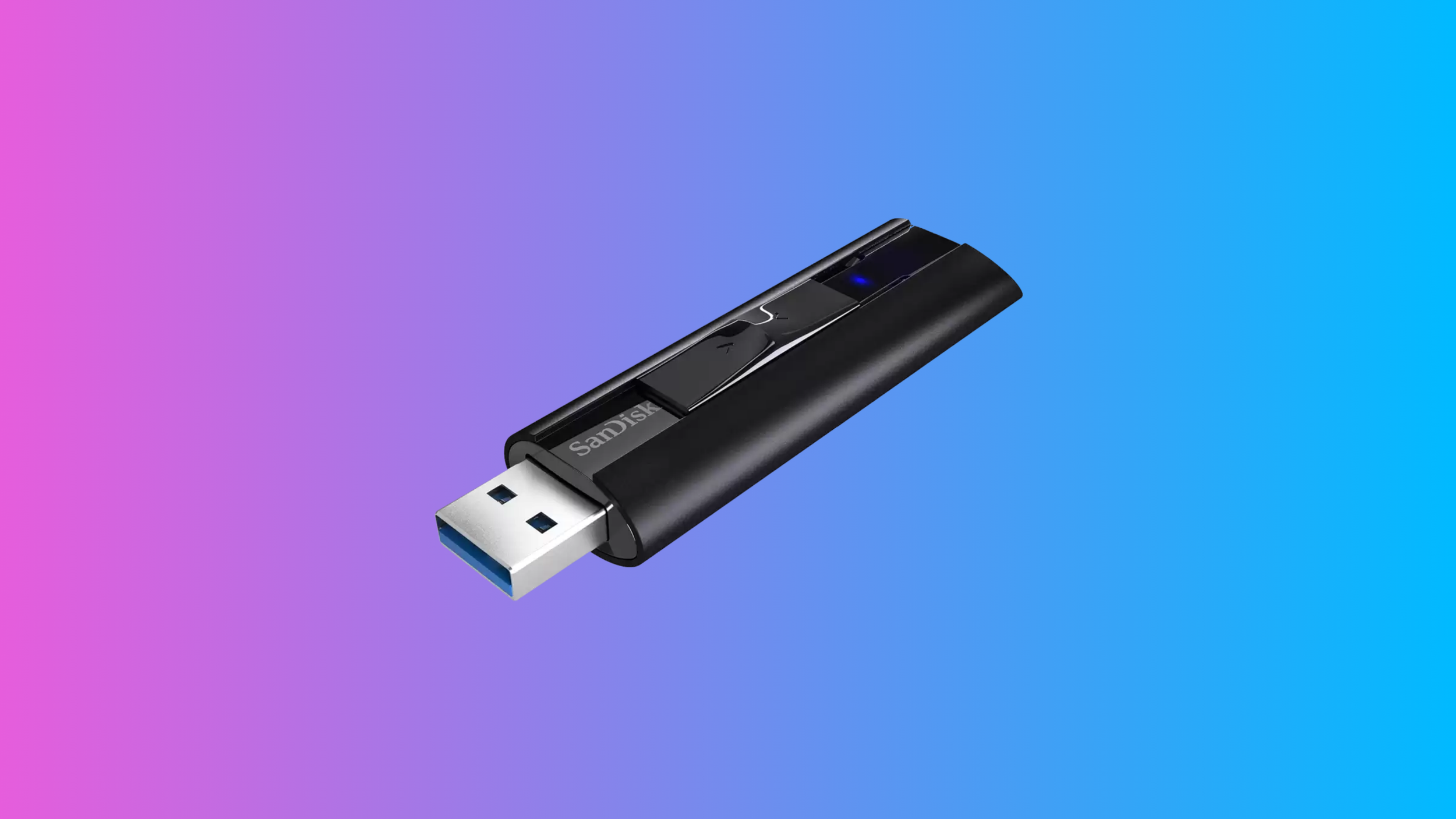
1. SanDisk Extreme PRO: Best for Speed and Reliability
The SanDisk Extreme PRO is a top-tier choice for DJs who prioritize speed and dependability in their USB sticks. With read speeds up to 420 MB/s and write speeds reaching 380 MB/s, this drive ensures you can transfer large music libraries quickly and without interruptions. This speed is particularly beneficial for DJs who need to update their USB libraries frequently or transfer high-quality audio files like FLAC or WAV. Its durable aluminum casing adds to its longevity, making it a reliable companion for gigs and travel. The Extreme PRO is compatible with USB 3.1 ports, ensuring a seamless connection with most modern CDJs.
What makes the SanDisk Extreme PRO stand out is its ability to handle intensive usage. The robust construction ensures it won’t overheat during long sessions, and its reliability means it’s less prone to file corruption—a nightmare scenario for any DJ mid-set. While it is slightly more expensive than average USB drives, the performance and durability justify the cost. For DJs who value speed and need a trustworthy drive for critical performances, the Extreme PRO is hard to beat.
Check price

2. Samsung BAR Plus: Best for Sleek Design and Portability
The Samsung BAR Plus is a great option for DJs who want a balance between a sleek design and high performance. This drive features a metal casing with read speeds up to 300 MB/s, ensuring fast transfers and a professional aesthetic. Its compact form factor and built-in keyring loop make it easy to attach to your keys or DJ bag, reducing the risk of misplacement. The BAR Plus is particularly suited for DJs who are constantly on the go and need a durable yet stylish USB stick.
In addition to its practical design, the BAR Plus is also built to last. It offers resistance to water, shock, temperature, and even X-rays, providing peace of mind for DJs traveling with their USB drives. While its write speeds are slightly lower than some premium options, the overall performance and reliability make it a strong contender. For DJs seeking a minimalist, portable drive with robust features, the Samsung BAR Plus is an excellent choice.
If you need more capacity, Samsung also makes very reliable SSD drives that go up to 4 TB.
Check price

3. AlphaTheta x SanDisk DJ Flash Drive – Best High-Capacity Option for rekordbox Users
Designed specifically for DJs, the SanDisk DJ Flash Drive is the first USB drive to carry official rekordbox® branding—and it shows. With blazing-fast speeds of up to 1,000MB/s read and 900MB/s write, this drive is built for the demands of modern gigging. Its dual USB-A and USB-C connectors make it easy to move between your computer and Pioneer DJ or AlphaTheta gear without worrying about adapters. Plus, with a whopping 1TB of storage, you’ll have more than enough space for full libraries, video sets, and high-quality audio files. The durable design and plug-and-play simplicity make it a true workhorse for serious DJs.
The SanDisk DJ Flash Drive isn’t just about storage—it’s also about workflow. With your purchase, you get a 3-month subscription to rekordbox Creative Plan, unlocking advanced features like cloud syncing, lyric displays, and video mixing. This bundle makes it a solid choice for digital DJs looking to streamline their setup while future-proofing their performance rig. If you’re an all-digital performer who needs fast, flexible, and rekordbox-ready storage, this drive is a standout pick.
N.B. - One thing to know before you buy: this drive ships pre-formatted in FAT32 out of the box, so if you're running it on exFAT-capable gear (CDJ-3000, XDJ-XZ/RX3) and want the larger-file-size benefits, you'll need to reformat it yourself.
Check price

4. SanDisk Ultra Fit USB 3.2: Best for Compact and Low-Profile Use
For DJs looking for an ultra-compact USB stick, the SanDisk Ultra Fit USB 3.2 is a standout option. With read speeds up to 400 MB/s, this tiny drive punches well above its weight in terms of performance. Its small size makes it an ideal choice for minimizing clutter in your setup, and it sits almost flush with your player or laptop, reducing the risk of accidental damage. This is particularly useful for DJs who frequently use USB ports in crowded or tight spaces.
Despite its compact form, the Ultra Fit delivers on reliability and capacity. Available in storage sizes up to 512GB, it’s perfect for DJs who need a discreet yet powerful drive for their extensive music libraries. However, its small size means it’s easier to misplace, so attaching it to a keyring or lanyard is recommended. If portability and discretion are high on your list of priorities, the Ultra Fit is a great option.
Check price
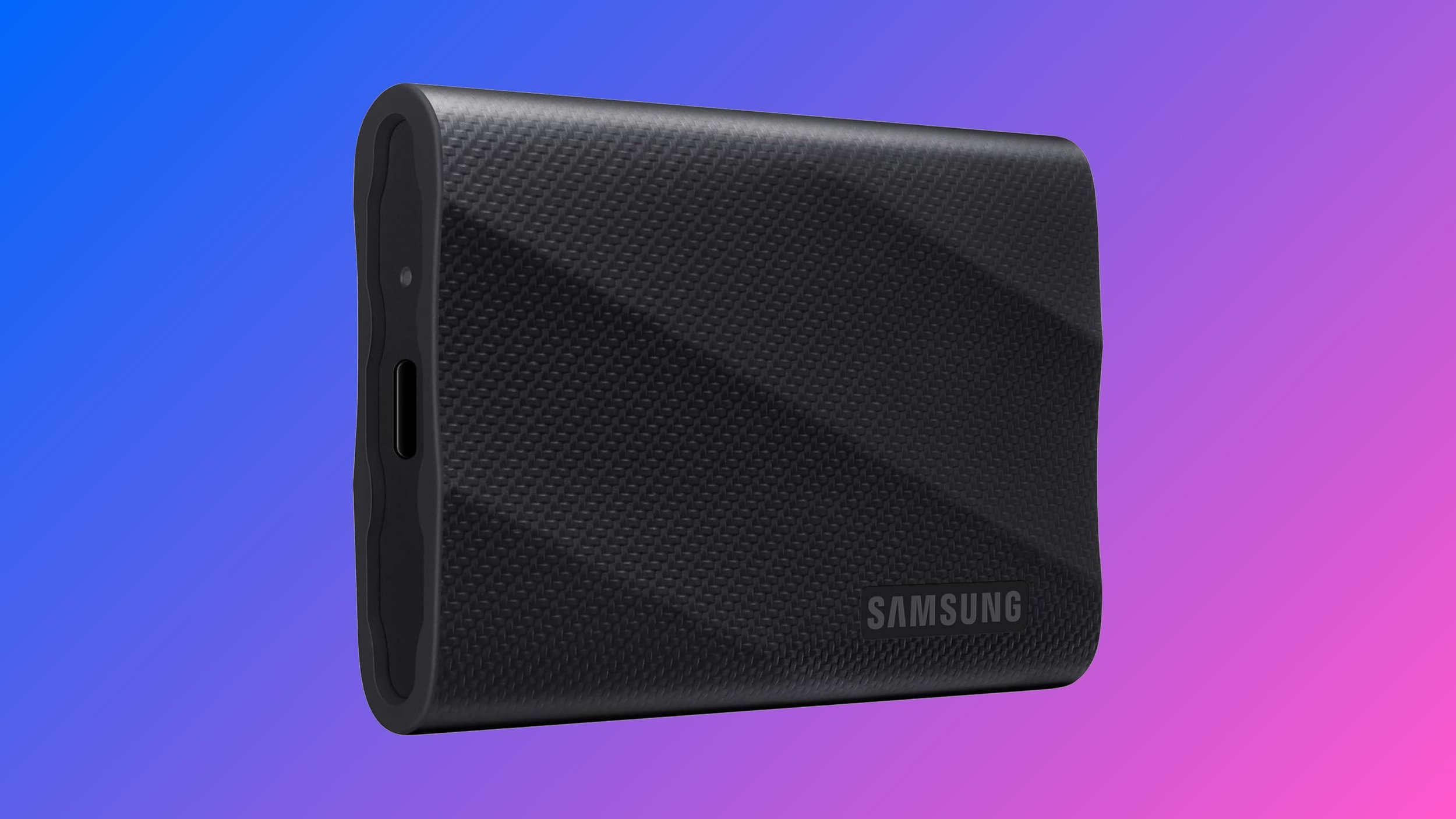
5. Samsung T9 – Best SSD for Speed and Professional Performance
If you're a DJ who demands the fastest transfer speeds with rock-solid reliability, the Samsung T9 is one of the best SSDs you can buy. It boasts read and write speeds up to 2,000 MB/s, nearly doubling the performance of the T7 series, which makes loading massive libraries or backing up high-resolution audio files incredibly quick. Designed with professionals in mind, the T9 supports USB 3.2 Gen 2x2, ensuring top-tier speed—just make sure your laptop has a compatible port to unlock its full potential. The rubberized housing helps absorb shocks from drops and bumps, and while it’s not quite as rugged as the T7 Shield, it’s still drop-resistant and built for daily use on the go. Samsung’s Dynamic Thermal Guard is also onboard to prevent overheating during long DJ sets or heavy file transfers. Available in 1TB, 2TB, and 4TB sizes, the T9 is a sleek, pro-level drive perfect for DJs who prioritize speed and reliability without sacrificing portability.
Check price
Is It Worth It to Invest More in a USB Stick for DJing?
For DJs, investing in a high-quality USB stick is absolutely worth it. Premium USB drives offer faster read and write speeds, ensuring smooth transfers and reliable playback of large music files, such as WAV or FLAC formats. Cheaper USB sticks may struggle with consistent performance, leading to potential file corruption or stuttering during playback—issues that can disrupt a set. Additionally, high-end models are often more durable, with features like shockproof and water-resistant casings that protect your music library during travel or in unpredictable gig environments. This durability means fewer replacements and lower long-term costs.
Another reason to invest more is future-proofing your gear. Higher-spec USB sticks, such as those with USB 3.1 or 3.2 compatibility, are designed for modern devices and can handle larger music libraries as your collection grows. They often come with larger capacities (e.g., 256GB or more) and advanced features like encryption, adding a layer of security to your data. While the upfront cost may seem higher, the reliability, performance, and peace of mind a premium USB stick provides make it a smart investment for DJs who take their craft seriously.
Rekordbox & Engine DJ Compatibility: Choosing the Right Format for Your USB Stick
One of the most common pitfalls DJs face when preparing USB sticks for performances is format incompatibility — and the answer isn't as simple as "always use exFAT." Denon's Engine DJ and Prime series (Prime 2, Prime 4, Prime 4+, SC5000/6000) support both FAT32 and exFAT across the board, and Denon recommends exFAT for drives 1TB and larger. Pioneer/AlphaTheta gear is more particular: exFAT only works on the CDJ-3000, XDJ-XZ, and XDJ-RX3 — and only with firmware CDJ-3000 1.20+, XDJ-XZ 1.23+, or XDJ-RX3 1.11+. Anything older, including the CDJ-2000NXS2 that's still in plenty of booths, can't read exFAT at all. NTFS isn't supported on either ecosystem.
If you're not 100% sure what's in the booth, FAT32 remains the safest universal choice — it works on every generation of CDJ, every Denon Prime unit, and both Windows and Mac. Its only real drawback is the 4GB per-file size limit, which mostly matters for long, uncompressed WAV recordings. If you know you're playing exclusively on newer Pioneer flagship gear or Denon Prime units, exFAT gives you that ceiling back and adds error correction that FAT32 lacks.
To format your drive, use Disk Utility (Mac, select "MS-DOS FAT" for FAT32) or Disk Management (Windows) — note Windows' built-in formatter caps FAT32 at 32GB, so larger drives need a third-party tool like guiformat. Also worth knowing: drives need an MBR partition scheme, not GPT, or CDJs won't recognize them at all. Always use high-quality drives with fast read speeds — slow drives lead to laggy track browsing or failed loads mid-set, a nightmare scenario for any DJ.
Ready to upgrade your DJ setup?
Pick a reliable drive, format it the right way, and back it up like a pro—you’ll never stress about USB issues again.
Need more DJ gear?
Check out The Best Controllers for Beginners or Our Top-Rated DJ Headphones for the rest of your setup.
Updated August 2026 - This guide has been refreshed with new recommendations and info about compatibility.
Disclosure: This post may contain affiliate links. If you buy something through these links, I may earn a commission at no extra cost to you. As an Amazon Associate, I earn from qualifying purchases.