
Start a Home Studio: This Is All the Gear You Need
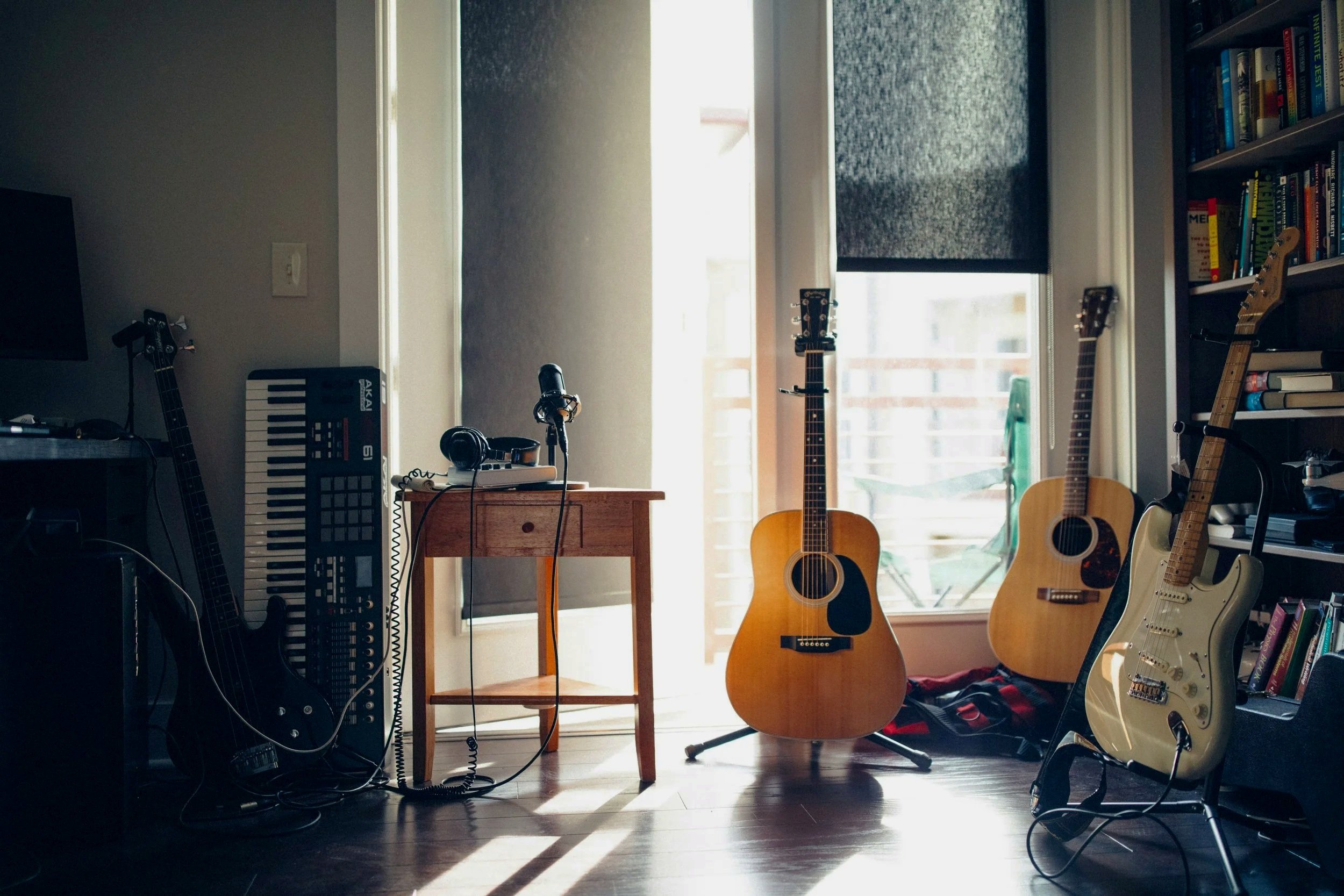
So you want to start making music. Maybe you've been sitting on that idea for a while, or maybe something just inspired you to finally go for it. Either way, the first practical question is always the same: what do you actually need to buy? It's a simple question that somehow manages to have a thousand complicated answers depending on who you ask, and most of those answers assume you either already know a lot or have a lot of money to spend. This guide assumes neither. We're going to go through the essential gear you need to get a real home setup going, keeping things under $300 and skipping the jargon where we can. Whether you're a complete beginner or someone who's dabbled a bit and wants to get more serious, the list is roughly the same. The tools have never been more affordable or more accessible, so let's just go through them one by one and get you set up.
A Computer: Your Creative Hub
The good news is that if you already have a relatively modern computer, you're probably fine. Making music doesn't require a beast of a machine, especially when you're starting out. A laptop or desktop from the last five or six years with at least 8GB of RAM and a decent processor will handle most beginner setups without breaking a sweat. Mac or PC both work well — it really comes down to what you already have or what you're comfortable using. If you're shopping for a computer specifically to make music, you don't need to spend big, but try not to go too cheap either. Something in the $400–$600 range secondhand will serve you well for a long time.
The one thing worth knowing upfront is that your computer's built-in sound card — the thing that handles audio in and out — isn't going to cut it for recording. It introduces noise, has latency issues, and generally makes the whole experience frustrating. That's what an audio interface is for, and we'll get to that shortly. For now, the main takeaway is simple: use what you have if you can, make sure it's not ancient, and don't feel like you need to upgrade before you've even started.
Click here for more info about the latest Mac models recommended for producers.
The DAW: Where the Music Is Created
A DAW — short for Digital Audio Workstation — is the software where you'll actually make your music. Think of it as the central hub of your setup: it's where you record, arrange, edit, and mix everything. If you've never used one before, opening a DAW for the first time can feel a little overwhelming, but most of them are designed so that you can get something basic going pretty quickly even without knowing what every button does. The big names you'll hear about are Ableton Live, FL Studio, Logic Pro, and GarageBand, and they all make great music — the differences between them matter a lot less than people on the internet would have you believe.
For a beginner on a tight budget, the answer is straightforward. If you're on a Mac, start with GarageBand — it's free, pre-installed, and genuinely capable enough that plenty of professionals still use it. If you're on Windows, go with Reaper. It's $60 to license properly but runs an unlimited free trial, it's lightweight, and it handles everything a beginner needs without a steep learning curve. Both of these will take you further than you'd expect before you ever feel the need to upgrade.
Your best bet:
Ableton Live — The industry standard for live performance and electronic music. Easy to learn, versatile, and incredibly powerful.
Logic Pro — Mac only. A professional-grade DAW at a one-time price. It includes some very cool stock plugins. Worth it if you're serious and on a Mac.
GarageBand — Free, Mac only. The best starting point if you're in the Apple ecosystem and don't want to spend anything.
FL Studio — Popular in electronic and hip-hop production. It’s workflow makes it very different from other softwares. Check some tutorials online before you buy.
The Audio Interface: The Bridge Between You and Your Computer
Your computer has a built-in sound card, but it's not designed for making music. It introduces background noise, struggles with latency — that annoying delay between playing a note and hearing it — and generally makes the recording experience frustrating enough that most people assume they're doing something wrong when really it's just the wrong tool for the job. An audio interface is what replaces it. It plugs into your computer via USB, gives you proper inputs for microphones and instruments, and handles audio the way it's supposed to be handled. It's one of those purchases that immediately makes everything feel more professional.
For a beginner, the sweet spot sits between $150 and $200 and there are three interfaces that stand out at that price. The Focusrite Scarlett 2i2 is the most popular entry-level interface in the world and for good reason — it's reliable, sounds great, and works straight out of the box. The Audient iD4 MKII is a step up in audio quality and comes with a great preamp that you'd normally find in more expensive gear. And if you want something with a bit more character and some handy vintage tone options, the Universal Audio Volt 2 is hard to beat. Any of the three will serve you well for years. If budget is really tight, the Scarlett Solo at around $120 is a fine starting point too, though you'll be limited to a single input.
Your best bet:
Audient iD4 — Exceptional preamp quality for the price, great for singers and guitarists.
Universal Audio Volt 2 — Two inputs, vintage tone mode, and UA's renowned audio quality at an accessible price.
Focusrite Scarlett 2i2 — Two inputs, bulletproof reliability, and the most popular beginner interface on the market.
Studio Headphones: Your Most Important Purchase
When you're starting out, headphones are almost always the smarter first choice over studio monitors. Monitors are great, but they need a properly treated room to give you an accurate picture of your sound — otherwise the acoustics of your space color everything you hear and your mixes will suffer for it. Headphones sidestep that problem entirely. They're also practical: you can work late, live with others, and not worry about any of it. A decent pair of studio headphones gives you an honest, detailed representation of your audio, which is exactly what you need when you're learning how to shape a sound or balance a mix.
The closed-back Audio-Technica ATH-M50x has been the go-to recommendation in this space for years and remains hard to argue with — accurate, comfortable, and detailed without being tiring to listen to for long sessions. The Sony MDR-7506 is another classic that's been on the ears of studio engineers for decades, offering a slightly brighter, more analytical sound that's great for catching details in a mix. If comfort is a priority for long sessions, the Rode NTH-100 is purpose-built for extended wear and sounds excellent. And if you're someone who works in different places and needs something versatile, the Sony WH-1000XM series doubles as a great everyday headphone with noise cancellation, though it's more of a lifestyle pick than a pure studio tool.
For more info about the best headphones for bedroom producers, check our post on the topic here.
Your best bet:
Audio-Technica ATH-M50x — Best for all-around studio use. The safe, reliable choice for most beginners.
Sony MDR-7506 — Best for detailed monitoring. A studio classic that pros have trusted for decades.
Rode NTH-100 — Best for comfort and clarity. Ideal if you spend long hours in front of your DAW.
Sony WH-1000XM series — Best for noise cancellation on the go. A versatile pick if you work in different environments.
The MIDI Controller: Your Hands on the Music
A MIDI controller is essentially a keyboard that doesn't make any sound on its own — instead it sends signals to your DAW, triggering whatever instrument or sound you have loaded in your software. You don't need to be a piano player to get value out of one. Even basic melodies, chords, and drum patterns are much easier and more intuitive to program by pressing keys than by clicking notes into a grid with a mouse. It's one of those things that feels optional until you try it, and then it's hard to imagine working without it. Most beginners are surprised by how much it changes their workflow.
For getting started, you don't need anything fancy — a compact 25 key controller is plenty to begin with and won't take over your desk. All three options below are well established in the beginner space and any of them will serve you well. The Akai MPK Mini is particularly strong if you're into beat making, thanks to its responsive pads and straightforward layout. The Arturia MiniLab is the one to pick if you want the best software bundle out of the box — it comes with a generous collection of virtual instruments that alone make it exceptional value. And if you're using Ableton Live as your DAW, the Novation Launchkey Mini integrates with it seamlessly in a way the others simply don't, making it the natural choice for Ableton users.
Your best bet:
Akai MPK Mini — Best for beat makers. Compact, with responsive pads and a straightforward layout.
Arturia MiniLab — Best for software value. Comes bundled with an excellent collection of virtual instruments.
Novation Launchkey Mini — Best for Ableton users. Deep integration with Ableton Live makes it the obvious pick if that's your DAW.
The Microphone: Capturing Your Sound
Not everyone needs a microphone right away — if you're purely producing electronic music or programming beats, you can get surprisingly far without one. But if you're a singer, play an acoustic instrument, or just want the option to record real sounds into your music, a decent microphone makes a bigger difference than almost any other piece of gear. The good news is that you don't need to spend a lot to get something that sounds genuinely good. The entry-level condenser microphone market has never been more competitive, and there are some excellent options available that would have cost significantly more a decade ago.
All four mics below are condenser microphones, which means they'll need phantom power to operate — something your audio interface will provide automatically, so nothing to worry about there. The Audio-Technica AT2020 is the classic entry-level pick, reliable and consistent with a sound that works well for a wide range of sources. The Lewitt LCT 240 PRO is a lesser known but seriously impressive option at a similar price that often outperforms mics costing twice as much. If you have a little more to spend, the Rode NT1 is renowned for its incredibly low noise floor and smooth, flattering sound — a genuine step up. And the Aston Origin is the most characterful of the bunch, with a bold, full-bodied sound that suits vocals and acoustic instruments particularly well.
For more info about the best microphones for bedroom producers, check our post on the topic here.
Your best bet:
Audio-Technica AT2020 — Best entry-level all-rounder. Consistent, reliable, and a proven starter mic.
Lewitt LCT 240 PRO — Best value for money. Punches well above its price tag and often surprises people.
Rode NT1 — Best for low noise. An exceptionally clean, smooth sound that suits vocals beautifully.
Aston Origin — Best for character. Bold and full-bodied, great for singers and acoustic instruments.
Cables and Accessories: The Stuff People Forget
It's easy to get caught up researching microphones and interfaces and completely forget that you'll need a few basic accessories to actually plug everything together. Nothing here is exciting, but showing up without the right cable is the kind of thing that stops a session before it starts. The main one to know about is the XLR cable, which is what connects your microphone to your audio interface. Get at least two — they're cheap, and having a spare saves a lot of frustration. Beyond that, a microphone stand and a pop filter are the two other essentials if you're planning to record vocals or acoustic instruments.
A pop filter is the circular mesh screen that sits in front of your microphone and softens the harsh plosive sounds — the bursts of air from letters like P and B — that would otherwise create an unpleasant thud in your recordings. It's a $10–$20 purchase that makes a noticeable difference. If desk space is tight, a boom arm is worth considering instead of a traditional stand, as it clamps to your desk and keeps things tidy. None of this needs to be expensive — budget options work just fine for all of it. The goal here is simply to make sure you have everything you need on day one so you can actually sit down and start making music.
Your best bet:
XLR Cables — Get at least two. Mogami and Amazon Basics both offer reliable options at a low price.
Microphone Stand — A basic boom stand does the job. K&M and On-Stage are solid budget-friendly brands.
Pop Filter — Any standard nylon pop filter works well. Nothing fancy needed.
Boom Arm — Worth it vif desk space is tight. Rode and Blue both make reliable options.
Building Your Setup: Which Gear Do You Actually Need?
By now you have a clear picture of what each piece of gear does. But depending on the kind of music you want to make, you don't necessarily need all of it from day one. Here's a practical breakdown of what to prioritize based on where you're starting from.
The Songwriter
You play guitar, piano, or you sing — maybe all three. Your priority is capturing your ideas clearly and building arrangements around them. Start with an audio interface, a condenser microphone, and a good pair of headphones. For your DAW, GarageBand or Reaper will handle everything you need. A MIDI controller is worth adding down the line if you want to layer in other instruments or experiment with production, but it's not essential on day one.
Your starter kit: Audio Interface — Microphone — Headphones — DAW
The Beatmaker
You're making hip-hop, trap, or sample-based music and your workflow is built around rhythms, samples, and layering sounds. A MIDI controller with pads is your most important purchase — get that first. Pair it with a good pair of headphones and a DAW like FL Studio, which is purpose-built for this kind of music. An audio interface is optional early on unless you plan to record vocals, in which case add a microphone and interface to the list.
Your starter kit: MIDI Controller — Headphones — DAW — (Interface and Mic if recording vocals)
The Electronic Producer
You're making electronic music — house, techno, ambient, synth-driven stuff. Your focus is on sound design, synthesis, and arrangement rather than recording live instruments. A MIDI controller and a great pair of headphones are your foundation, paired with Ableton Live which is the industry standard for this genre. An audio interface is still worth having for clean audio monitoring, but a microphone can wait unless you have a specific need for it.
Your starter kit: MIDI Controller — Headphones — DAW — Audio Interface
Final Words
The hardest part of getting started with music isn't choosing between the Scarlett 2i2 and the Audient iD4. It's actually sitting down and making something. Gear research has a way of becoming a substitute for the thing you actually want to do, and it's easy to spend weeks going down rabbit holes and convincing yourself you need to have everything perfect before you begin. You don't. Every producer, songwriter, and musician you admire started with less than what's on this list.
Pick your category, buy what's on your starter kit, and start making music with that. You'll learn more in your first month of actually working with the tools than you will in hours of reading about them. The gear will still be there when you're ready to upgrade — and by then you'll know exactly what you actually need, because you'll have outgrown something specific rather than just guessing. That's the best position to be in. Now go make something.
Cover credit: Wes Hicks
Disclosure: This site contains affiliate links. If you purchase through these links, I may earn a commission at no extra cost to you.