
Akai MPC XL: Is This the Most Powerful MPC Ever
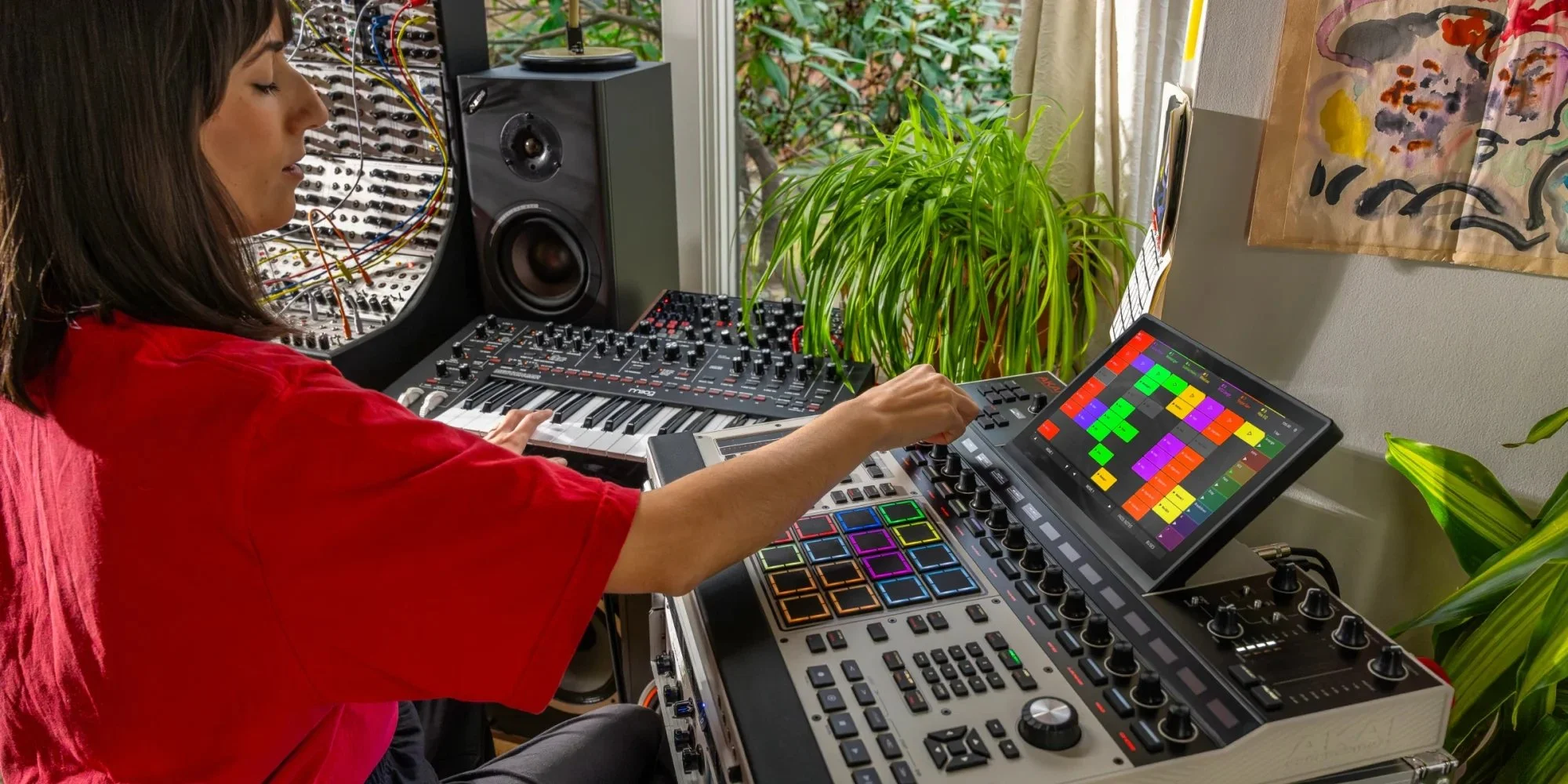
Akai Professional has unveiled the MPC XL, a new flagship standalone music production system that pushes the company’s iconic MPC line further into studio-grade territory. Positioned above the MPC X and following the innovations of the MPC Live III, the MPC XL is designed to deliver deep sequencing, sampling, arranging and mixing capabilities without a computer. This first look breaks down what’s confirmed so far — from its next-generation 8-core processor and 16 GB of RAM to expressive controller elements like the expanded MPCe pad grid and touchstrip. The MPC XL aims to combine a comprehensive hardware workflow with powerful internal processing and flexible connectivity for modern production environments.
TL;DR
The Akai MPC XL is the new flagship standalone production workstation in the MPC series.
Powered by a Gen 2 8-core processor with 16 GB RAM and 256 GB internal storage, it can run up to 32 plugin instruments and 16 audio tracks with support for 256 voices.
Includes expressive MPCe pads, a 10.1-inch multi-gesture touchscreen and a performance touchstrip.
Connectivity spans analog I/O, extensive MIDI and CV ports, USB-C audio/MIDI and expansion options.
What’s the Akai MPC XL
The Akai MPC XL is Akai Professional’s new flagship standalone MPC, and the clearest message from the coverage so far is that Akai is aiming for a “no excuses” production box — something that can realistically sit at the center of a studio without immediately pushing you back toward a laptop. It builds on the modern MPC platform (sequencing, sampling, arrangement, mixing, and instrument playback in one environment), but frames the XL as the model that’s meant to handle bigger sessions, heavier sound design, and more “full song” work without feeling like you’re constantly managing limits.
A big part of that identity is the confirmed internal upgrade: a Gen 2 8-core processor, 16GB RAM, and 256GB internal storage, with the ability to run up to 32 plugin instruments, 16 audio tracks, and 256 voices. On the performance/control side, Akai pairs that engine with a 10.1-inch multi-gesture touchscreen, an expanded MPCe pad grid, and a touchstrip for more expressive gestures and live manipulation. And importantly, it’s not being pitched as an isolated groovebox — the MPC XL is built to talk to other gear, with MIDI, USB, and CV connectivity confirmed, which makes it feel just as relevant for hardware studios as it is for producers who want one “main box” to sketch, arrange, and finish tracks end-to-end.
Workflow and Real-World Use
In real use, the MPC XL reads like the kind of machine you build a whole session around: start with drums on the pads, sample or chop audio, sequence your core patterns, then keep stacking parts until you’ve got a full arrangement that actually feels like a track—not just an 8-bar loop. The combination of a large touchscreen and performance controls suggests Akai is leaning into speed and immediacy here: you’re meant to move quickly between editing, playing, and arranging, with the touchstrip acting as a physical “momentum” control for transitions, modulation moves, and live tweaks that would normally be done with a mouse or automation lanes.
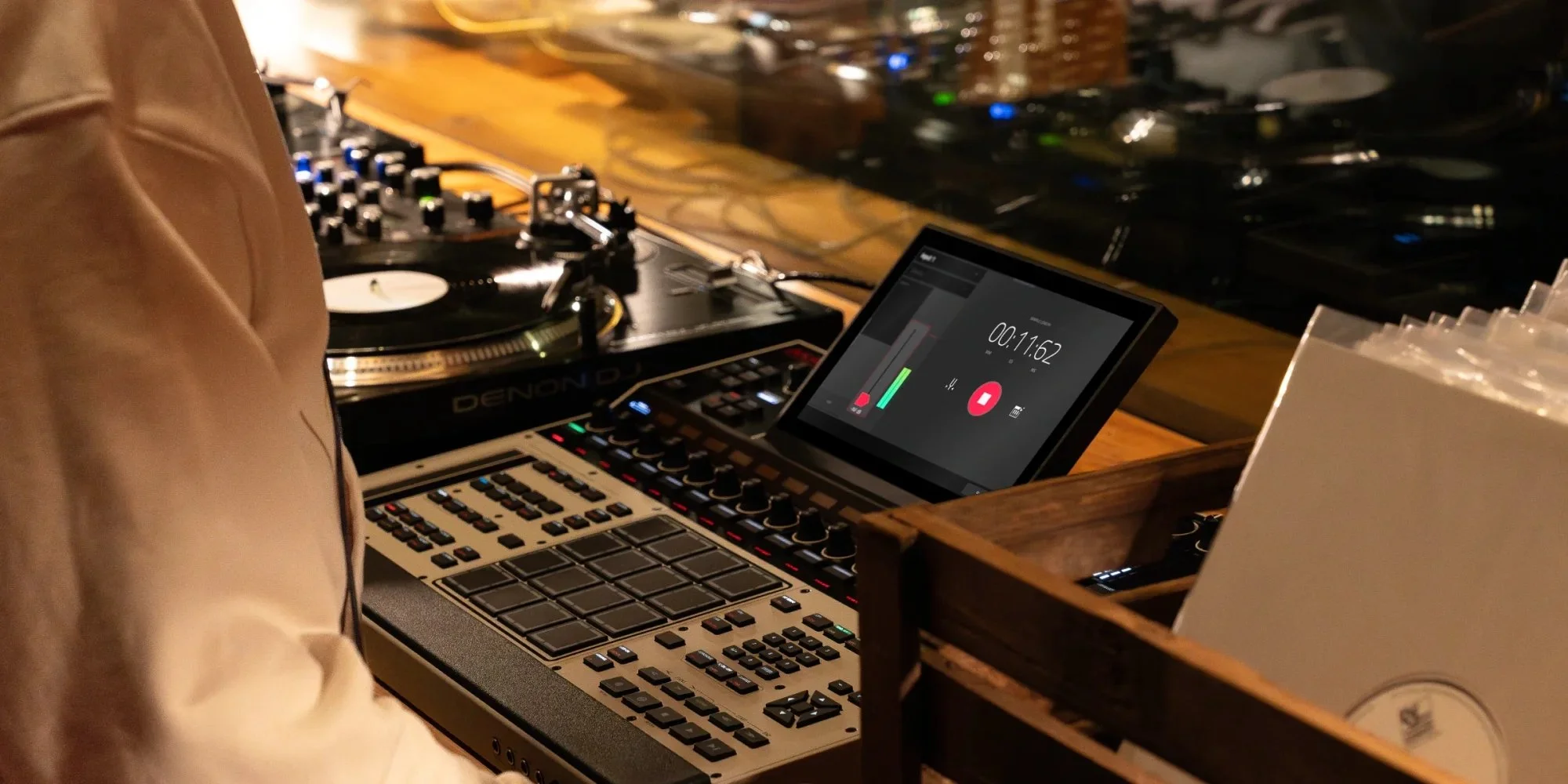
Where it gets especially practical is how it can sit between worlds. If your workflow is mostly hardware, the MPC XL can act as the sequencing brain for synths and modular while still being a full production environment on its own. If your workflow is more studio-focused, it’s positioned as the kind of standalone system you can write and structure complete ideas on—then keep pushing them into more finished territory with layered instruments and audio tracks, without immediately hitting a wall. The whole vibe is less “portable sketchpad MPC” and more “central workstation MPC,” built for people who want the MPC workflow but need it to scale up to bigger, more ambitious projects.
Alternatives to Consider
If the MPC XL feels like overkill for what you actually need, Akai’s own MPC X is still a serious centerpiece option for producers who want a flagship-style MPC workflow but don’t necessarily need the newest top-tier internal spec bump. On the more flexible, studio-hybrid side, Native Instruments Maschine+ is another standalone groove production system worth considering if you like the idea of hardware-first beatmaking but also want a workflow that leans heavily into instruments and expansions in a more “software-native” way.
And if what you really want is a standalone box that can anchor full tracks while doubling as a performance rig, Ableton Push 3 Standalone is the other obvious modern alternative — especially for producers already living in the Ableton ecosystem and wanting that same clip-based approach in hardware form. For a deeper breakdown of what to buy instead, check my post about the best standalone music production workstations.
If you’d like to explore more options, check our post about the best grooveboxes ont the market right now.
Pros
Flagship standalone MPC positioning, built to be a true “main studio brain” rather than just a sketchpad
Gen 2 8-core processor + 16GB RAM for heavier sessions and bigger internal projects
Strong internal capacity for modern production: up to 32 plugin instruments, 16 audio tracks, and 256 voices
Performance-focused control surface with 10.1-inch multi-gesture touchscreen, MPCe pad grid, and touchstrip
Cons
The flagship, full-size design is likely a less “grab-and-go” choice than smaller MPCs for travel or ultra-minimal setups
A deep all-in-one workstation workflow can be more time-consuming to learn than simpler grooveboxes
The expanded performance surface and pro integration focus may be more than beatmakers need if they mainly want quick loop-building
Final Words
The MPC XL feels like Akai doubling down on the idea that standalone production isn’t a compromise anymore — it’s a serious format for finishing music. Instead of chasing novelty, this release looks like a deliberate “scale-up” move: take the modern MPC workflow and push it into a higher-performance tier that can handle bigger projects and more demanding sessions.
It’s a strong fit for producers who want an MPC as the center of their studio, especially if they like building tracks hands-on and keeping everything in one box. If your process is more lightweight, loop-based, or you mainly want something portable for quick ideas, the MPC XL may simply be more machine than you need.
Disclosure: This site contains affiliate links. If you purchase through these links, I may earn a commission at no extra cost to you.