
AlphaTheta SLAB: A Dedicated Beatmaking Controller for Serato Studio
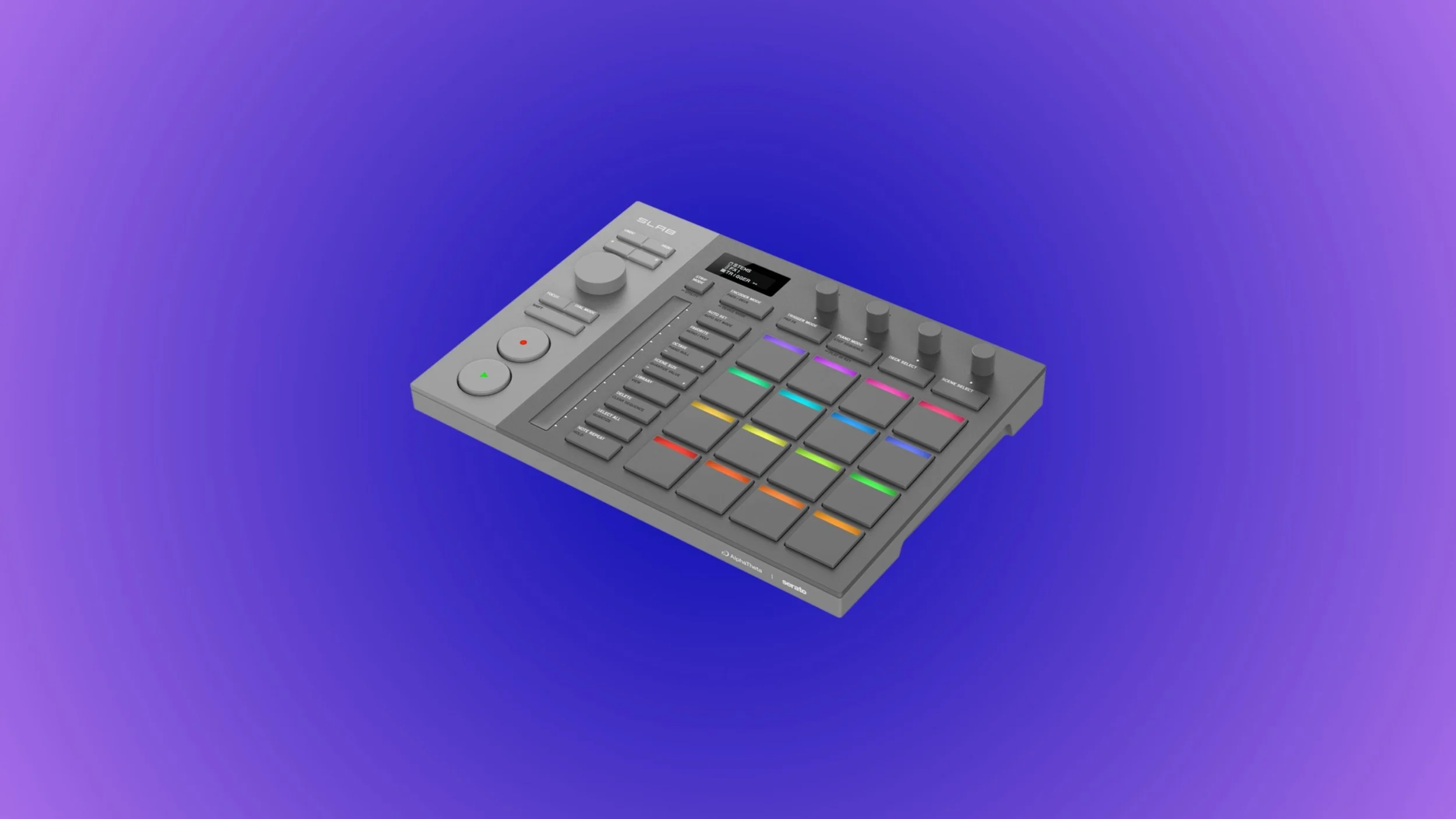
AlphaTheta and Serato’s SLAB isn’t trying to be another all-purpose MIDI controller. Instead, it’s a rare example of hardware designed around a specific way of making music: fast, hands-on beatmaking inside Serato Studio. At a time when many producers feel overwhelmed by feature-heavy DAWs and controller ecosystems, SLAB positions itself as a focused creative tool—one that prioritizes immediacy, touch, and staying connected to the idea in front of you. What makes SLAB notable isn’t just the hardware itself, but the intent behind it. This is the first controller built specifically for Serato Studio, offering deep native integration without the usual setup friction. Pads, encoders, a large central dial, and Serato’s “Focus Control” system all point toward a workflow where your hands stay on the controller and your attention stays on the music. In this article, we’ll break down what SLAB actually offers, who it makes sense for, where its limits are, and how it compares to other beat-making setups.
Disclosure: This site contains affiliate links. If you purchase through these links, I may earn a commission at no extra cost to you.
What SLAB Is (and What Makes It Different)
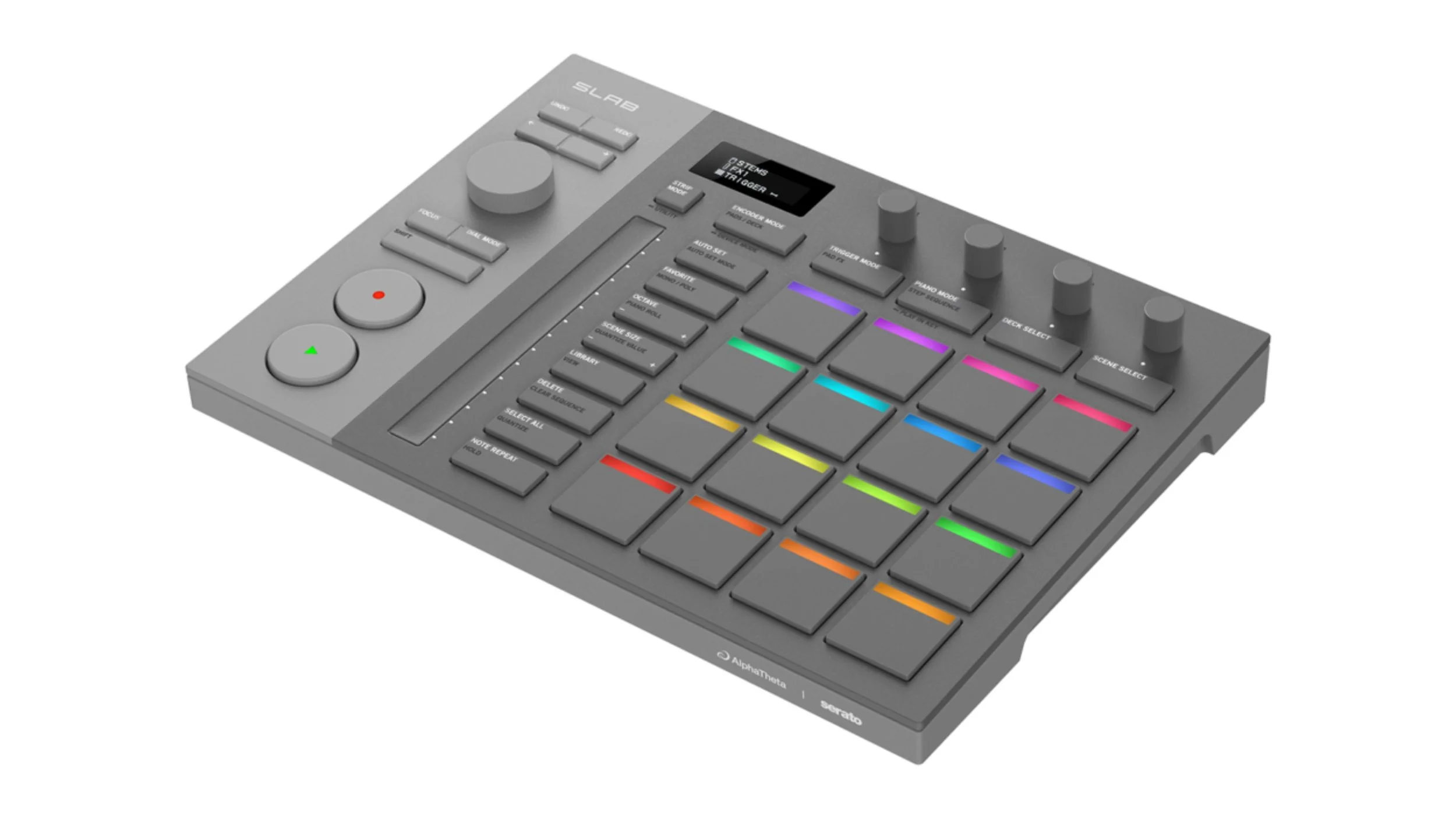
At its core, SLAB is a pad-based production controller designed specifically for Serato Studio, not a generic MIDI device that happens to work with it. The layout centers around 16 velocity- and pressure-sensitive pads for sequencing, sampling, and performance, paired with four rotary encoders, a touch strip, and a large multifunction dial. Rather than overwhelming you with controls, SLAB focuses on the actions Serato Studio users actually perform most: browsing sounds, chopping samples, tweaking effects, shaping dynamics, and building patterns quickly.
The standout feature is Serato’s Focus Control, which lets SLAB automatically map its controls to whatever parameter your cursor is hovering over in the software. This means no manual MIDI mapping and no mode-diving just to change a filter cutoff or adjust an effect. Combined with plug-and-play USB-C connectivity and an included Serato Studio license, SLAB presents itself as a tightly integrated system rather than a loose collection of hardware and software. The goal isn’t flexibility at all costs — it’s speed, clarity, and staying in the creative flow.
Who SLAB Is Really For
SLAB makes the most sense for producers who want a direct, distraction-free way to make beats, especially if they’re already using—or curious about—Serato Studio. DJs moving into production are an obvious audience here: the Serato ecosystem will feel familiar, the workflow emphasizes rhythm, sampling, and arrangement over linear recording, and the controller removes much of the friction that usually comes with learning a full DAW. Instead of wrestling with templates, mappings, and menus, SLAB encourages you to work the way many DJs already think—by triggering, shaping, and performing ideas into place.
It also suits beatmakers who value speed over scale. If your process revolves around short musical ideas, loops, drum programming, and sample-based composition, SLAB’s hands-on approach feels intentional rather than limiting. That said, it’s less aimed at producers who rely heavily on audio recording, detailed mix automation, or large multi-instrument arrangements. SLAB isn’t trying to replace a full studio setup; it’s designed to be a focused creative surface for people who want to get ideas down quickly without breaking momentum.
Where SLAB Excels — and Where It Draws the Line
SLAB’s biggest strength is how little it gets in the way. The tight hardware–software integration, combined with Focus Control, makes common actions feel immediate rather than technical. Browsing sounds, adjusting effects, shaping drums, and working with stems all happen without pulling you into menus or forcing you to think in terms of MIDI assignments. The compact form factor also matters here: SLAB feels designed for desks with laptops, small home studios, and portable setups where speed and clarity are more valuable than having every control visible at once.
That focus, however, also defines its limits. SLAB is clearly optimized for beatmaking, sampling, and loop-based production, not full-scale tracking or deep mix work. There are no faders for traditional mixing, and the workflow assumes Serato Studio’s pattern- and scene-based approach rather than long-form arrangement. While SLAB can function as a general MIDI controller, its real value fades if you’re working primarily outside the Serato ecosystem or building dense, multi-track productions that demand constant visual and structural oversight.
Alternatives Worth Considering
If you’re not fully committed to the Serato ecosystem, there are plenty of other ways to approach pad-based beatmaking. Generic MIDI pad controllers paired with a DAW like the Ableton Push or Native Instrument’s Maschine offer far more flexibility in the long run, especially if you’re comfortable setting up templates and mappings. Those setups reward power users, but they also come with more friction upfront and a less unified hardware-software experience than what SLAB offers.
More advanced production controllers and standalone grooveboxes also cover a broader creative scope, particularly for users who want onboard sequencing, audio recording, or mixer-style control. These options tend to favor deeper functionality over immediacy. SLAB sits in a different lane: it’s not trying to compete feature-for-feature with everything else on the market, but instead offers a streamlined way to stay connected to ideas without building a complex rig around them.
The Verdict
SLAB feels like a deliberate response to modern production overload. By narrowing its focus to Serato Studio and prioritizing hands-on, intuitive control, AlphaTheta and Serato have created a tool that encourages making music first and configuring later. For DJs stepping into production, beatmakers who value speed, or anyone drawn to Serato’s workflow, SLAB offers a refreshingly cohesive experience.
At the same time, it’s not a universal solution. Producers who rely on deep arrangement tools, audio recording, or DAW-agnostic workflows may find SLAB too specialized to serve as a main controller. Seen in the right context, though, SLAB isn’t about doing everything — it’s about doing the right things efficiently, and staying focused on the music while you do it.
Disclosure: This site contains affiliate links. If you purchase through these links, I may earn a commission at no extra cost to you.